
Hicoo AI Review: Is This Video Converter Worth Using in 2026?
If you regularly work with videos, you probably know the frustration of dealing with incompatible formats, huge file sizes, slow conversions and separate tools for simple editing jobs.
That is where Hicoo AI comes in.
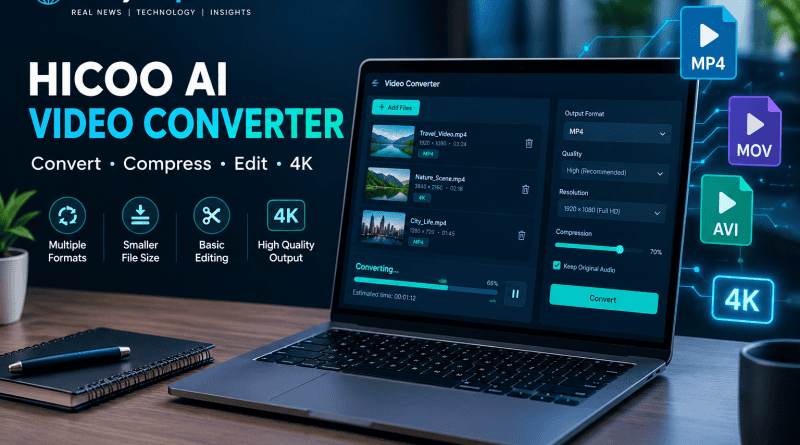
Hicoo is an AI-powered video converter that combines video conversion, compression and basic editing features in one application. The company says its converter supports 4K video, GPU acceleration, batch processing and more than 1,000 video, audio and image formats.
But what exactly is Hicoo, and is it worth adding to your video workflow?
Here is what you need to know about the Hicoo AI video converter, its main features, how it works, and what users should consider before using it.
What Is Hicoo AI?
Hicoo AI is a media conversion tool designed to make it easier to convert, compress and prepare video and other media files.
Instead of installing one program for converting videos, another for compression and another for basic trimming or merging, Hicoo puts several of these functions into one workflow.
The company positions Hicoo for everyone from everyday users and content creators to people working with large 4K files and businesses that regularly process media. More information about the company and its product is available on its official About page.
One of the more interesting parts of Hicoo is its use of AI-assisted settings. According to Hicoo, its AI engine can analyze video characteristics and automatically recommend settings such as resolution, bitrate and sample rate.
That can be useful for people who do not want to spend time learning every technical setting involved in video encoding.
Hicoo AI Video Converter Features
Hicoo is not simply a basic file-format converter. The platform combines several useful media-processing functions.
1. Video Format Conversion
The primary purpose of Hicoo is converting media from one format to another.
Hicoo lists formats including:
- MP4
- MKV
- MOV
- AVI
- WEBM
- MPG
- VOB
- FLV
- 3GP
- MP3
- WAV
- AAC
- FLAC
- JPG
- PNG
- WEBP
- HEIC
The company says its wider platform supports more than 1,000 video, audio and image formats.
For someone who frequently receives videos from different phones, cameras, editing applications or other devices, broad format support can make the workflow considerably easier.
2. 4K Video Conversion
Large 4K video files can be difficult to process because they contain significantly more data than standard HD footage.
Hicoo advertises 4K support and says its conversion system uses GPU acceleration to speed up processing.
The company also advertises conversion speeds of up to 60X faster. That figure is a Hicoo claim, however, and actual performance will depend on your computer, graphics hardware, source file, destination format and other settings.
3. Video Compression
Large videos are not always convenient to store or upload.
A 4K recording from a modern smartphone or camera can quickly consume several gigabytes of storage.
Hicoo includes a video compression feature that allows users to adjust settings such as resolution, format and bitrate. The company also says users can target a particular output size.
This could be useful when preparing videos for:
- Social media
- Messaging apps
- Websites
- Cloud storage
- Mobile devices
The goal is simple: reduce the file size while keeping the video usable.
4. Built-In Video Editing
Hicoo also includes some basic editing functions.
According to the company, users can trim, crop and merge videos without opening another editing application.
This is not intended to replace a full professional video editor.
Instead, it is useful for quick jobs where you simply need to remove unwanted footage, combine clips or adjust a video before conversion.
For example, if you have a large video that needs a few seconds removed before converting it to MP4, doing everything in one application can save time.
5. Batch Video Conversion
Batch processing is another feature that could be useful for content creators and people working with large numbers of files.
Instead of converting videos individually, users can add multiple media files and process them together.
This is particularly useful when:
- Converting a folder of videos
- Preparing several clips for editing
- Converting recordings into MP3
- Processing large collections of media
- Preparing files for different devices
Hicoo says its AI batch-processing system can manage queues and prioritize tasks automatically.
6. Video to GIF
Hicoo also includes video-to-GIF functionality.
This is useful when you only need a short animated section of a video rather than the entire file.
GIFs can be useful for social media posts, websites, tutorials, presentations and messaging.
Hicoo AI for Windows and Mac
One of the important differences between many online video converters and desktop applications is how they handle large files.
Hicoo promotes its desktop converter for Windows and Mac, while also offering a free online video converter for certain conversion tasks.
For large video projects, a desktop workflow can be more convenient because users can work directly with files on their computer rather than repeatedly uploading large files through a browser.
Hicoo says its Mac version offers the same core features as Windows.
That makes the tool relevant for both Windows PC users and Mac users looking for a single media conversion application.
How to Use Hicoo AI Video Converter
The basic workflow is straightforward.
Step 1: Add Your Video
Open Hicoo’s Video Converter and select Add File, or drag and drop your media into the application.
Step 2: Choose the Output Format
Select the format you want to create.
For example, you might convert a MOV file to MP4 or extract audio from a video and save it as MP3.
Step 3: Adjust the Settings
Depending on the conversion, you can adjust settings such as resolution, bitrate and other output options.
If you do not understand the technical settings, Hicoo’s AI-assisted optimization is designed to help select appropriate settings.
Step 4: Convert the File
Click Convert for a single file or use the batch option when processing multiple files.
Once processing is complete, the converted file can be saved and used normally.
Is Hicoo AI Free?
Hicoo’s website says its AI Video Converter can be used for free to try core functions such as video conversion and compression.
However, Hicoo also promotes a Premium Converter with higher capabilities for larger files and more advanced workflows.
This distinction matters.
A free online converter and a desktop premium application may have different limits, processing methods and supported features.
If you only occasionally need to convert a small video, a free tool may be enough.
If you regularly work with large files or batches of videos, the desktop version may be more relevant.
Is Hicoo AI Safe to Use?
This is one area where users should always do their own checks before installing third-party software.
Hicoo says on its website that it does not compromise the user’s device or privacy. Those statements are claims made by the provider, not an independent security audit.
Before converting sensitive videos, check the current privacy information available on the official Hicoo website, understand whether the particular tool processes files locally or through a server, and download software only from the official Hicoo website.
For highly sensitive material, local processing is generally preferable because it reduces the need to send files to an external server.
Hicoo AI vs Traditional Online Video Converters
The biggest difference is the type of workflow you need.
A simple online converter can be convenient when you have one small video and just want to change its format.
A desktop converter becomes more attractive when you regularly work with:
- Large video files
- 4K footage
- Multiple files
- Batch conversion
- Compression
- Basic editing
- Different media formats
Hicoo attempts to combine these tasks into a single application rather than making users move between several websites and programs.
Who Should Consider Hicoo AI?
Content Creators
YouTubers, bloggers and social media creators often work with different video formats and large files.
A converter that can also compress, trim and merge footage can simplify the preparation stage before publishing.
If you are exploring more AI tools for content production, our guide to AI tools worth using in 2026 covers other options for writing, design, video, audio and productivity.
Social Media Users
If a video is too large for a particular platform or needs to be converted into another format, Hicoo’s compression and conversion features can be useful.
Students and Everyday Users
You do not need to be a professional editor to benefit from a video converter.
Someone who simply needs to convert a video from one format to another may find having conversion and basic editing tools in one place convenient.
People Working With Large Media Collections
Batch conversion becomes more useful when you have dozens or hundreds of files.
Instead of repeating the same process for every video, you can process multiple files together.
What to Keep in Mind Before Using Hicoo
Hicoo has an attractive feature set, but there are a few things worth keeping in mind.
First, advertised conversion speed should not automatically be interpreted as the speed you will experience on your own computer.
Second, supporting a large number of formats does not mean every format combination will produce identical results. Video codecs, containers, resolutions and audio settings can all affect the final file.
Third, Hicoo is primarily a media conversion and preparation tool. If you need advanced color grading, professional effects, complex timelines or sophisticated motion graphics, you will still need a dedicated video editor.
Finally, always check the current pricing, software requirements, privacy information and feature limits before committing to a paid version.
Final Thoughts
Hicoo AI is an interesting option for people who want more than a basic online video converter.
Its combination of video conversion, compression, batch processing, 4K support and basic editing makes it useful for everyday media preparation, while its AI-assisted settings are designed to make technical conversion choices easier.
The biggest appeal is convenience. Instead of using one tool to convert a file, another to compress it and another to make a quick trim, Hicoo attempts to bring these tasks together.
It is not a replacement for a full professional video editing suite, and users should still verify privacy, pricing and performance for their particular setup.
But if your main requirement is to convert, compress, trim and prepare videos without a complicated workflow, Hicoo AI is a tool worth taking a closer look at.
For a broader look at how AI is moving from simple assistants toward systems that can complete tasks, see our guide to what agentic AI is and how it is changing work in 2026.
Frequently Asked Questions About Hicoo AI
What is Hicoo AI?
Hicoo AI is a video and media conversion tool that supports video conversion, compression, basic editing, batch processing and other media-processing functions.
Is Hicoo AI a video editor?
Hicoo includes basic editing functions such as trimming, cropping and merging, but it is primarily a video converter and media-processing application rather than a full professional video editor.
Can Hicoo convert videos to MP4?
Yes. Hicoo supports MP4 conversion and allows users to select an output format before processing their video.
Does Hicoo support 4K video?
Yes. Hicoo advertises 4K support and says its converter uses GPU acceleration for faster processing.
Does Hicoo work on Mac?
Yes. Hicoo says its converter is available for both Windows and Mac.
Can Hicoo compress large video files?
Yes. Hicoo includes a compression function that allows users to adjust output size, resolution, format and bitrate.
Can Hicoo convert multiple videos at once?
Yes. Hicoo supports batch conversion, allowing users to process multiple media files together.
Does Hicoo support audio conversion?
Yes. Hicoo lists audio formats such as MP3, WAV, M4A, AAC and FLAC alongside its video conversion features.
Is Hicoo AI free?
Hicoo says users can try its AI Video Converter for free, while its Premium Converter provides additional capabilities. Users should check the current official pricing and feature limits before purchasing.
Is Hicoo AI safe?
Hicoo makes privacy and security claims on its website, but users should review the current privacy information and terms before processing sensitive files. Downloading software from the official website is also recommended.
Is Hicoo AI worth trying?
For users who regularly need video conversion, compression, batch processing and simple editing in one workflow, Hicoo is worth investigating. Whether it is suitable for you depends on your file types, computer, workflow and the features you need.
