
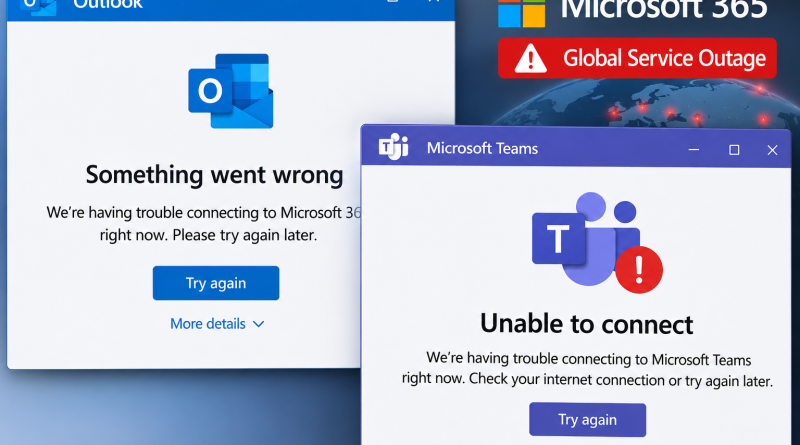
Microsoft Outlook and Teams Outage: What Happened and Where Things Stand Now
If you tried to open Outlook or join a Teams call and hit an error, you were not alone. A major Microsoft outage knocked out email, chat and several other Microsoft 365 services for millions of people, and it did not wrap up in a few hours as many hoped. Here is a clear breakdown of what happened and what the situation looks like now.
What Happened
Trouble began on Thursday, November 12, shortly before 1 PM Eastern Time, which was roughly 10:50 PM in Pakistan. Microsoft’s Microsoft 365 Status account on X said it was investigating reports of users having trouble reaching Exchange Online mailboxes through multiple connection methods in the Americas. Within minutes, error reports exploded on outage tracker Downdetector. More than 129,000 reports had been logged by about 1:09 PM ET.
Both ordinary Outlook users and business accounts struggled to log in, send or receive email. As the hours passed, reports spread well beyond North America, and the disruption carried over into Friday.
Which Services Were Affected
The outage was not limited to Outlook. Microsoft listed or confirmed problems across a wide group of products:
- Outlook on the web and on desktop, including Exchange Online mailboxes
- Microsoft Teams
- SharePoint Online
- Microsoft 365 Copilot
- Outlook.com, OneDrive, OneNote and To Do
- Microsoft 365 for the web
- Outside tools that connect to these services, such as calendar integrations
Because so many offices, schools and government departments rely on Outlook and Teams every day, the effect was felt far beyond a few missed emails. Meetings were disrupted, messages were delayed and work stalled for many people.
What Caused It
Microsoft’s early explanation pointed to a surge in traffic hitting part of its infrastructure, along with an issue in a component responsible for processing server health. Microsoft also said it had found no sign of malicious activity behind the outage.
There was one more twist. Microsoft warned that the affected servers could become unresponsive again as soon as they received traffic. To avoid that, it limited which types of traffic could reach the affected infrastructure in some locations, which is why some users kept seeing problems even after others came back online.
Amazon Web Services also stated that it was operating normally and noted that some reports blaming it were inaccurate.
Where Things Stand Now
The latest updates are more encouraging. Microsoft reported “partial recovery across regions” and then said it was seeing encouraging recovery progress. Email queues, meaning the pile of messages waiting to be delivered, were described as significantly reduced and approaching normal levels. Outlook and Teams were reported to be coming back online after the long disruption.
That said, recovery has been gradual and uneven. Some users may still see delays, slow sync or occasional errors while Microsoft redistributes traffic. If your Outlook or Teams still behaves strangely, it does not necessarily mean the problem is on your end.
What You Can Do Right Now
- Check the official status. Microsoft 365 admins can look at the Service Health page in the admin center, and everyone can follow the Microsoft 365 Status account on X.
- Wait and retry. Repeated login attempts will not speed up recovery. Try again after a short break.
- Check for delayed email. Messages sent during the outage may arrive late as queues clear. If something urgent is missing, ask the sender to resend it.
- Use a backup for urgent matters. For time-sensitive work, switch to a phone call, WhatsApp or another approved channel until services settle.
- Restart your app. Once Microsoft reports recovery, closing and reopening Outlook or Teams can help refresh a stuck connection.
Final Thoughts
This outage is another reminder of how much of daily work depends on a handful of cloud services. Microsoft says recovery is moving in the right direction, but the full picture may keep changing, so keep an eye on its official status updates.
Were you affected by the Outlook and Teams outage? Share your experience in the comments.
FAQ (Yoast FAQ block ke liye)
Why did Outlook and Teams go down?
Microsoft’s early explanation points to a traffic surge in part of its infrastructure and a problem with a component that processes server health. The company said it found no sign of a malicious attack.
When did the Outlook and Teams outage start?
It began on Thursday, November 12, shortly before 1 PM Eastern Time, which was around 10:50 PM in Pakistan, and continued into Friday.
Which Microsoft services were affected?
Outlook, Teams, SharePoint Online, Microsoft 365 Copilot, Outlook.com, OneDrive, OneNote, To Do and Microsoft 365 for the web, along with tools that connect to them.
Is Outlook working again?
Microsoft reports that Outlook and Teams are coming back, with email queues approaching normal levels. Recovery has been gradual, so some users may still see delays.
Were my emails lost during the outage?
Messages are typically delayed rather than lost, and many arrive once queues clear. If something important is missing, ask the sender to resend it.
Was the outage caused by a cyberattack?
Microsoft says it has not detected any malicious activity behind the outage.
